
Long Repetitive Work
Large-scale patching, inspections, and configuration changes can lead to lengthy night or holiday work.

Standardize infrastructure operations with code-based workflows,
and
automate everything from repetitive tasks to execution result
management.
Operational Challenges
Repetitive manual work increases errors and operational burden.
The IT infrastructure operations automation system supports
more stable IT operations through standardized automation.
Large-scale patching, inspections, and configuration changes can lead to lengthy night or holiday work.

During repetitive manual work and command entry, work errors and failures may occur.

Real-time visibility into task status, execution results, and failure causes is difficult, which can delay response.

It is difficult to systematically track who performed what work and when, as well as histories and results.
Benefits
Reduce repetitive operations, standardize work quality,
and
build a safer IT operations environment.

Automate repetitive inspections and report creation to reduce operating time and review results systematically.

Apply review and approval procedures before execution, and record work histories and results to reduce operational risk.

Turn repetitive tasks into templates and reuse them as standard work to maintain consistent operational quality.
AI Extension
Beyond simple automation execution, the IT infrastructure operations
automation system
structures large-scale infrastructure data so
AI can understand it safely.

IT Infrastructure
Operations Automation System


MCP Server (Model Context Protocol)

Enterprise LLM

Massive log and inventory assets from the automation system are securely delivered to the LLM through MCP for intelligent root-cause analysis.

AI suggestions are converted into executable code only within the strict permission framework of the automation system.
AI Operations Scenarios
Summarize servers without patches applied over the past week.
Analyze automation system data through MCP and instantly generate a dashboard of remediation rates by department.
Optimize the existing network script with a high failure rate.
Improve code quality by removing duplicate code and standardizing variables in the automation system template structure.
Compile Q3 regular inspection history and create an ISMS report.
Generate a submission-ready report draft with before/after comparisons, approver information, and log captures.
Key Features
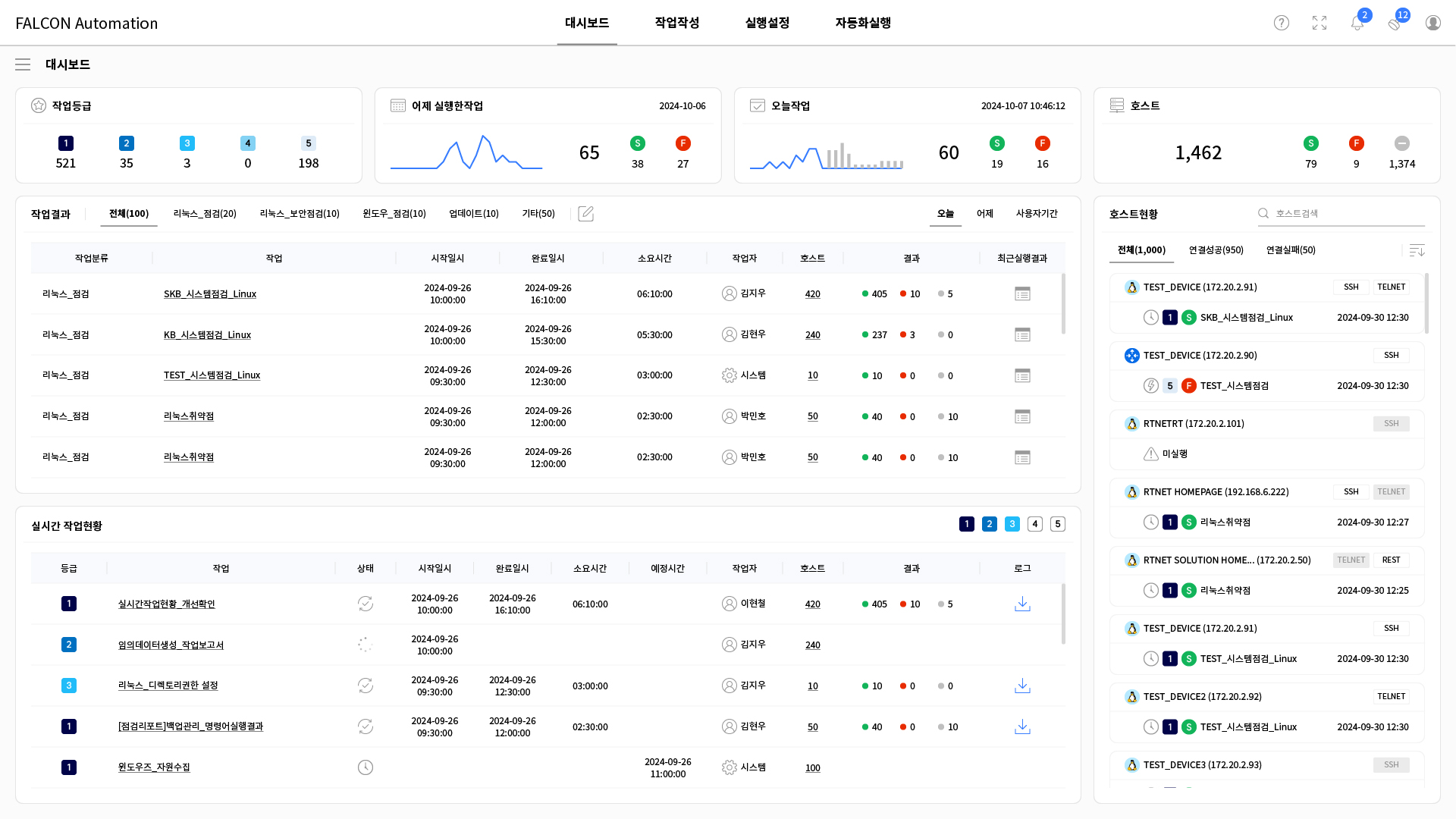
 Dashboard
View scheduled, running, and completed tasks on an integrated screen and manage results and histories systematically.
 Check
status and running task progress
Manage
execution and failure history
Track
target hosts and status
Download
and share work results
Check
status and running task progress
Manage
execution and failure history
Track
target hosts and status
Download
and share work results
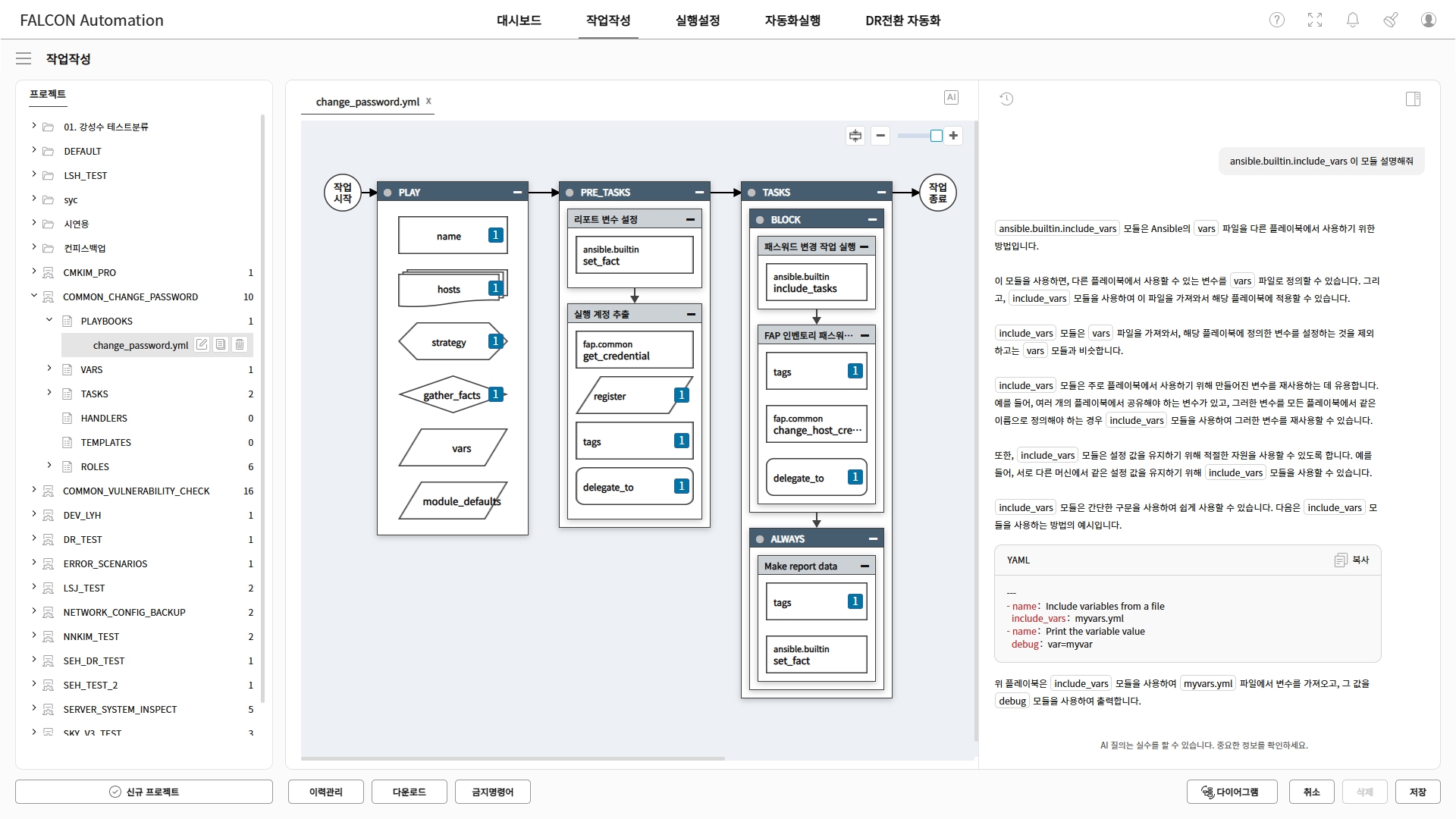
 Job Authoring
Use a GUI-based editor to configure Ansible jobs and improve authoring efficiency with YAML validation and conversion.
GUI-based
job editing
Ansible
module and variable validation
Drag-and-drop job composition
YAML
validation and GUI conversion
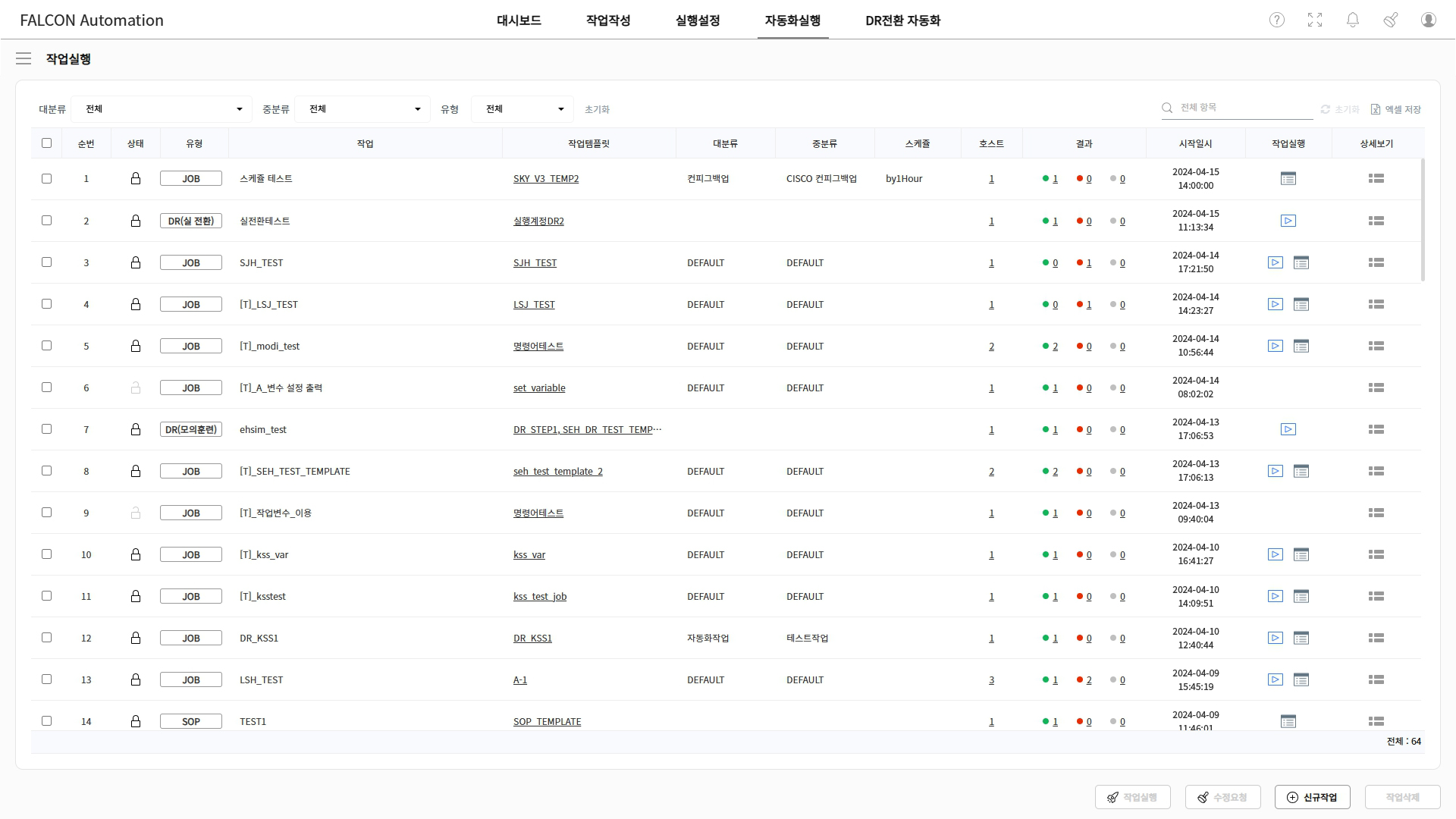
 Job Execution
Select target devices and execution options, then run automation jobs by group or instance.
Set target
devices and execution variables
Run by
inventory, group, or instance
Configure
concurrent execution and options
Real-time
execution result checks
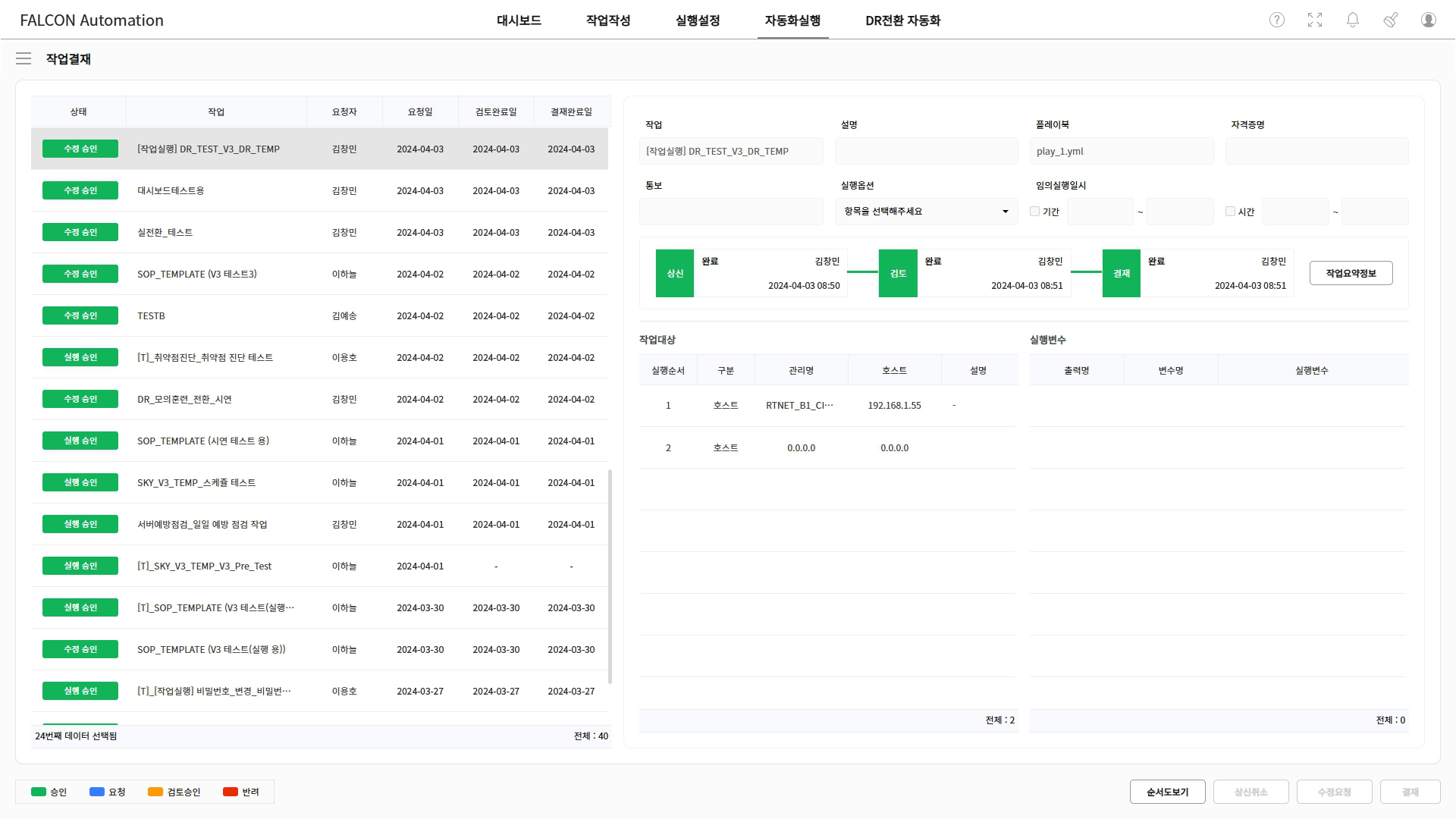
 Job Approval
Apply administrator review and approval before automation execution to prevent errors and uncontrolled runs.
Review and
approval before execution
Pre-check
content, targets, and variables
Review GUI
and YAML-based job details
Execute
after approval and set options
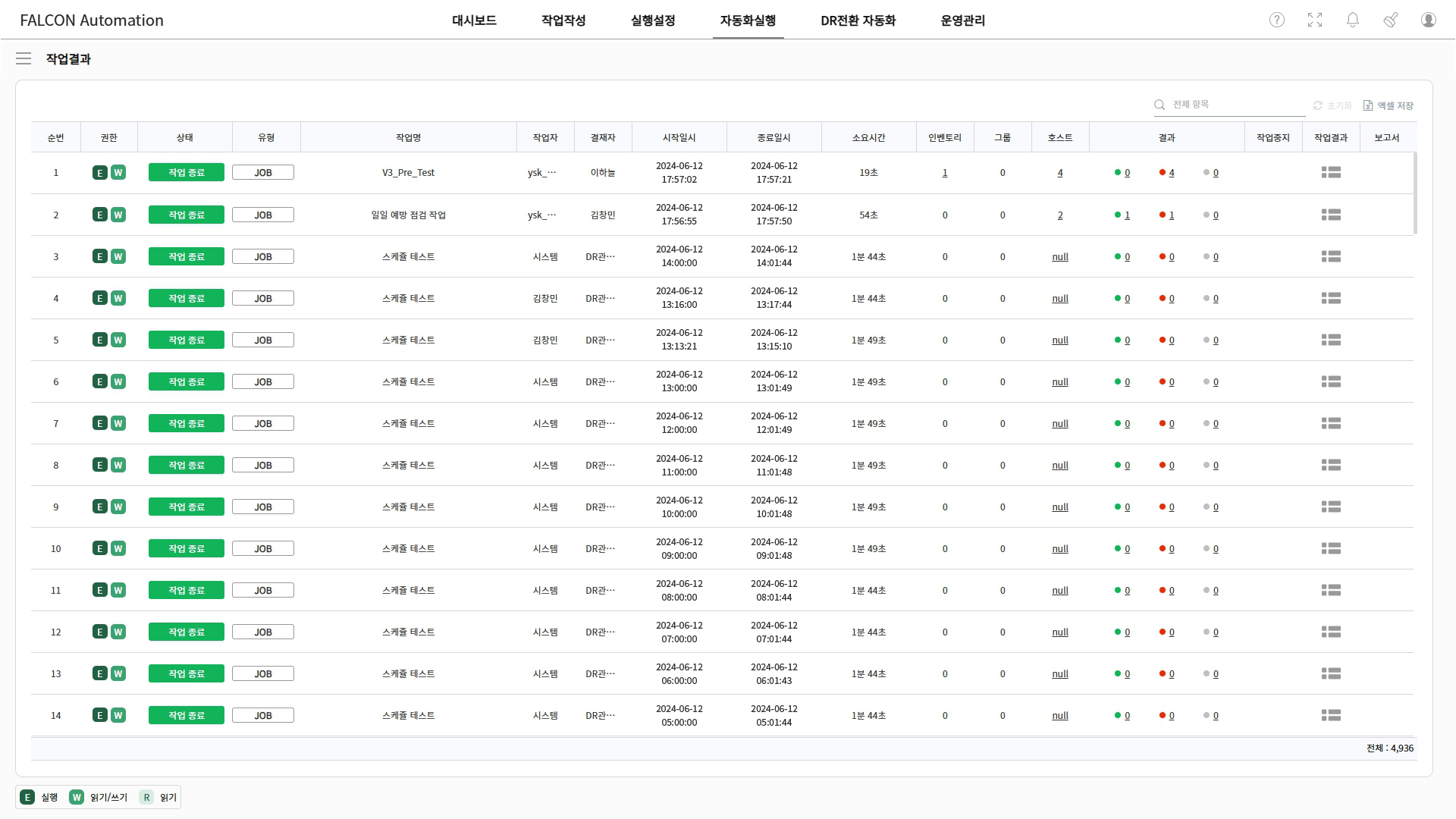
 Job Results
Check job status, execution time, and results by target device, and manage execution histories with detailed results and reports.
Check
status and execution history
View
start/end time and duration
Check
results by inventory, group, and host
View
success, failure, change results, and reports
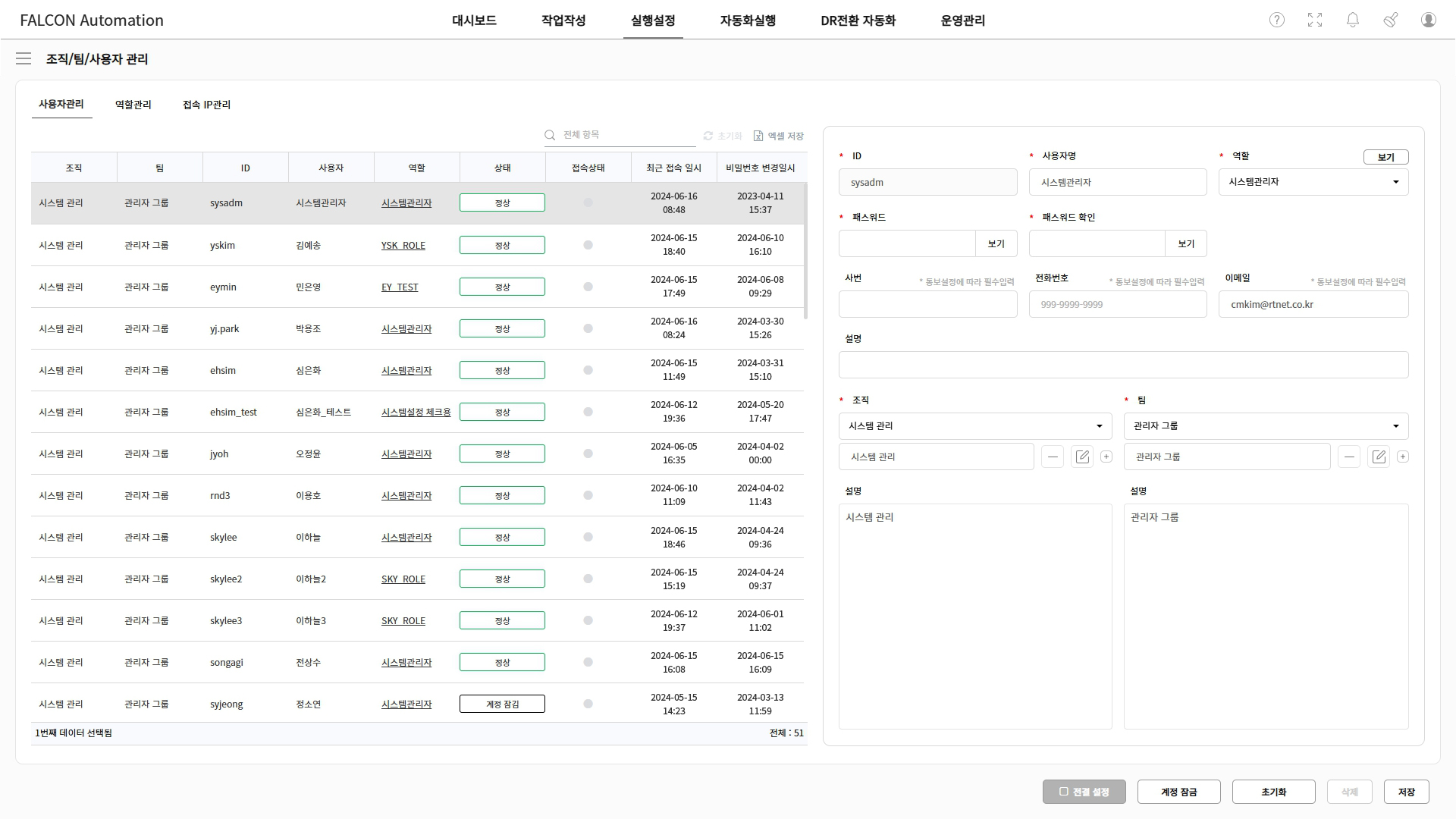
 User Management
Set permissions by organization, team, and user, and manage access to job templates, inventories, and projects.
Manage
permissions by organization, team, and user
Set access
to job templates and inventories
Manage
project and job file permissions
Set
feature permissions by user
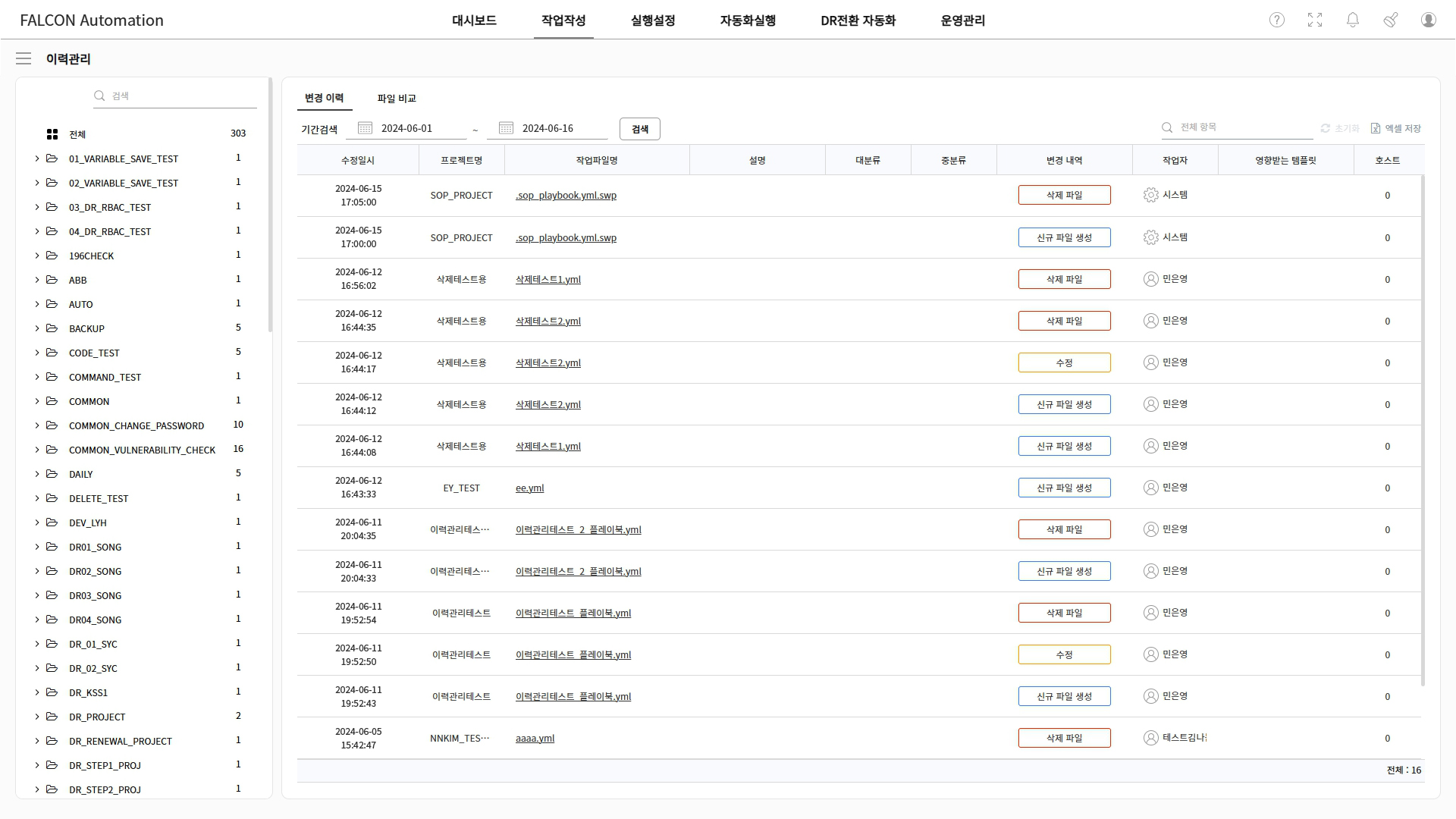
 History Management
Record job file creation, modification, and deletion histories, and review changes through file comparison.
Check
creation, modification, and deletion history
View
change time, operator, and details
Check
changes through file comparison
Track
affected templates and hosts
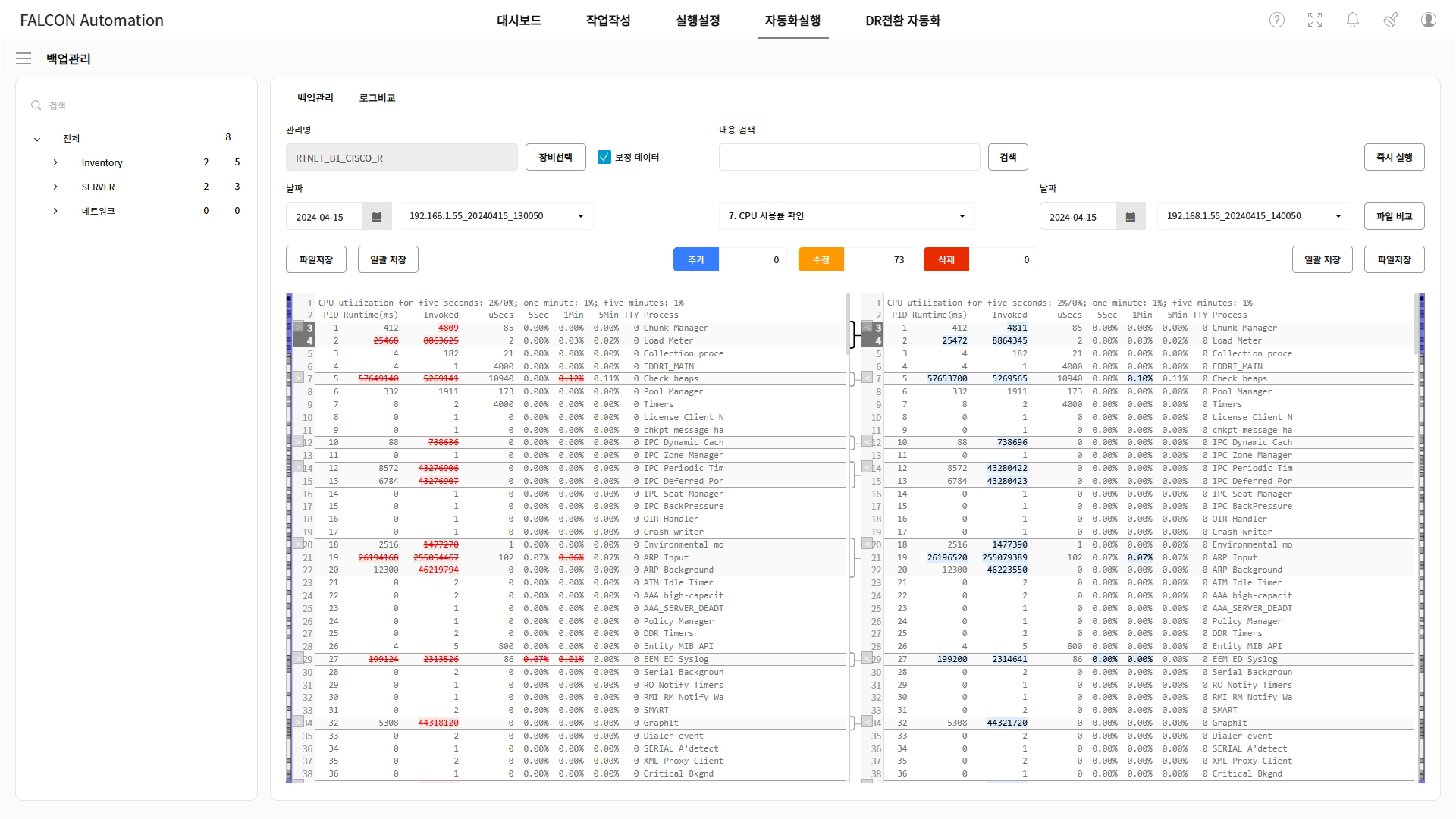
 Backup Management
Collect and back up device and system configuration information, then quickly identify changes by comparing previous data.
Configure
per-device configuration backup
Collect
and store backup item data
Compare
change history and differences
Search
specific configuration information
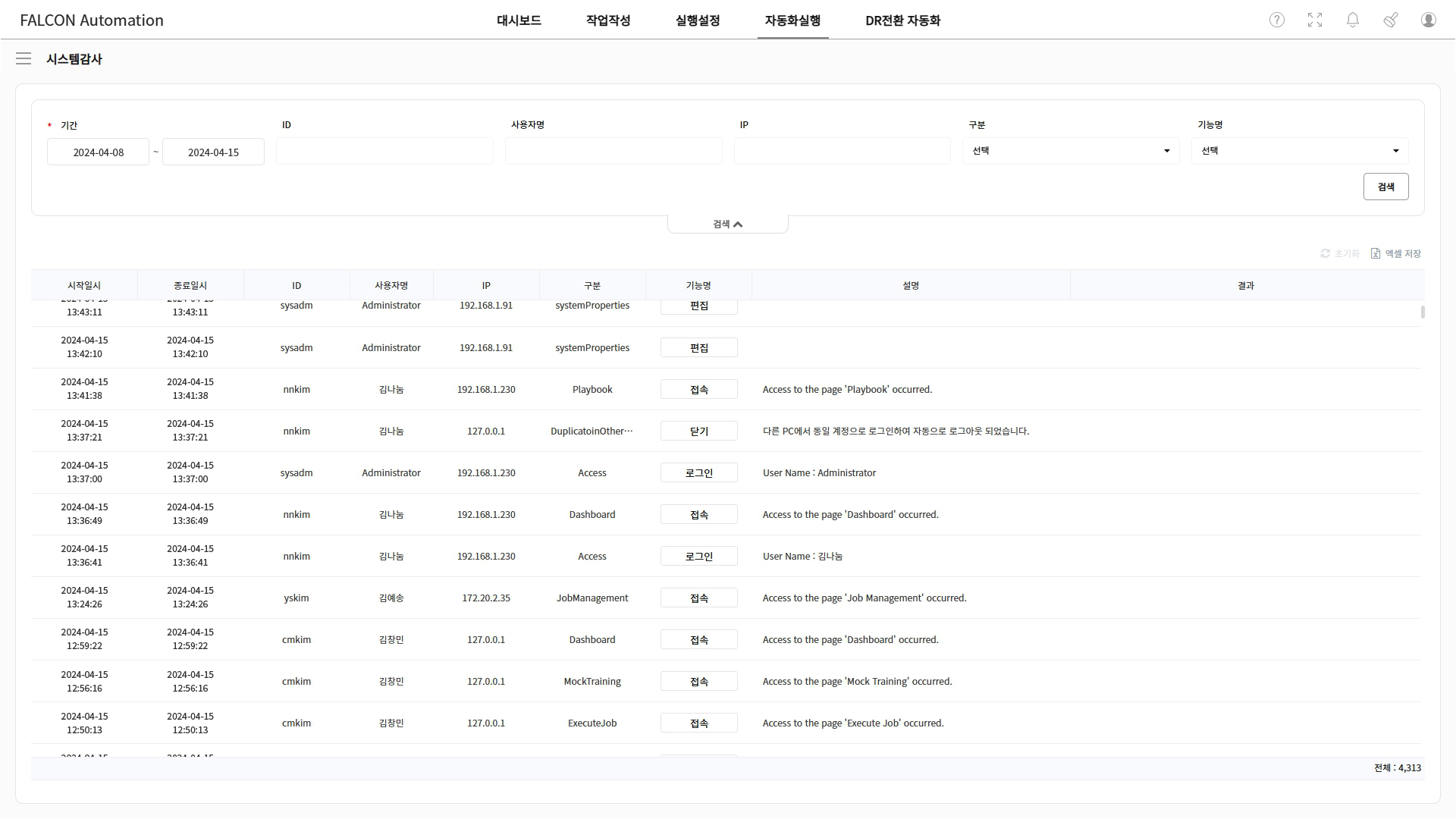
 System Audit
Record user logs and job creation, modification, and execution histories to support audits and traceability.
Check user
logs and access history
Manage job
creation, modification, and approval history
Track
inventory and configuration changes
Check
execution details and result logs
Detailed Features
Manage inventory, group, and host information and classify target devices systematically.
Integrate device access accounts with access-control systems to support a secure execution environment.
Notify success, failure, and change results by email, messenger, webhook, and more.
Integrate with groupware, approval systems, ITSM, CMDB, and other systems to automate operations processes.
Create work plans, connect them with approval, and execute safely after pre-review.
Compare device status and key service items before and after work to automatically verify change results.
Define execution order and recovery procedures by step, and support sequential or repeated execution.
Automatically generate server and network security inspection results as reports.
In mission-critical environments such as public, finance, and
enterprise sectors,
we present proven cases of operational
stability and efficiency.

Automated configuration backups, change comparison, vulnerability checks, bulk command execution, and DR transition for large-scale network devices and Linux, Windows, and virtual server environments.
Reduced time for configuration change analysis and security reports, and improved operational stability and investment efficiency through automated network DR transition.

Standardized large-scale network changes and automated the process from request to approval, configuration change, and result updates through integrations with groupware, approval, messenger, and chatbot services.
Reduced OS deployment and upgrade time, prevented arbitrary command execution, and improved stability through work standardization.

Automated infrastructure provisioning, approval, execution, and result updates across virtualization, Linux, Windows, and bare-metal environments.
Shortened provisioning time and improved service quality and efficiency through repetitive operations automation and automated failure recovery.

Automatically collected server configuration and operational status, and automated daily checks, report creation, SSL certificate updates, and internal system integration tasks.
Reduced processing time from request to configuration change and issue updates, and improved standardization and efficiency through automated system checks.

Automated network infrastructure tasks for cloud services and standardized the process from request to configuration change through service portal and CMDB integrations.
Shortened service lead time and improved quality by replacing unit-service processes with a bulk request method.

Automated config backup, change comparison, daily checks, ad-hoc inspection commands, and result report generation in network and server operations.
Systemized existing script-based inspections to improve standardization, and increased efficiency with inspection history lookup and detailed log analysis.

Automated system checks, configuration changes, password changes, vulnerability checks, and report generation across Linux, UNIX, Windows, and other OS environments.
Standardized changes across heterogeneous OS environments to reduce operational time, and improved stability through automated daily checks, periodic checks, and vulnerability diagnosis.
Build a more stable IT operations environment with automation for repetitive tasks, approvals, and execution result management.
